

Charter Spectrum has officially joined the Apple Watch market. This means that if you are a Spectrum Mobile customer, you will be able to add a cellular Apple to your existing plan for just $10 a month.
If you have been longing for Spectrum Apple Watch to be available on the provider’s mobile plan, the wait is over. The company is selling the new Apple Watch Series 6 and SE, however, you can bring your own Apple watch too and add it to your existing plan. This is offer is available under the Spectrum Mobile plan. Read on to learn more about it.
Table of Contents
Introducing the Spectrum Apple Watch Offer
Spectrum Mobile, which runs on Verizon’s LTE network, delivers affordable mobile data plans for streaming, streaming, gaming, and other regular internet activities.
The provider’s mobile plan enjoys a great reputation as it delivers the fastest overall speeds, easy monthly pricing, and the greatest gadgets. The good news is now it also covers Apple Watch Series 6 and Apple Watch SE smartwatches. This change was effective from 12th February 2022.
There is no catch. The provider wants its users to benefit from a unique mobile experience and enjoy significant cost reductions. The inclusion of the Apple Watch in the provider’s device lineup has allowed more and more subscribers to live a healthier lifestyle while staying connected.
Who Can Get the Spectrum Mobile Apple Watch?
The offer is available for both new and existing subscribers. Customers with a Spectrum Mobile account can also add their Apple Watch Series 3 or later, including the Series 6 and SE, to their account. Just like new Spectrum TV customers receive FREE Peacock Premium for 12 months, Mobile customers receive a gift too. Each new device activated on the provider’s Mobile plan will receive a Smartwatch Access package and unlimited data. Customers who activate a new or previously existing Apple Watch will get three months of free Smartwatch Access for a limited time.
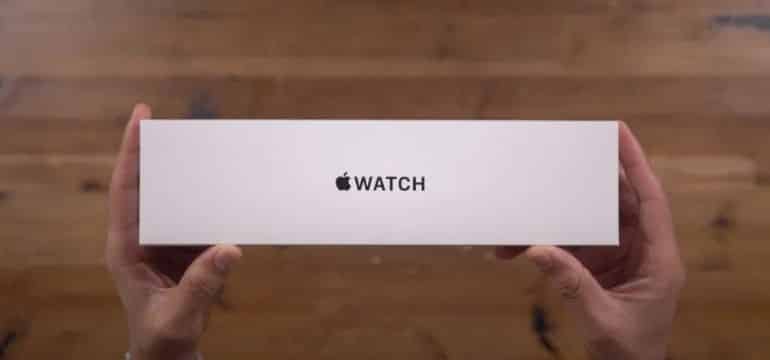
To activate Apple Watch, you must have an active iPhone on Spectrum Mobile. If it’s a new device, make sure you activate it with the Spectrum Mobile plan after you have paired it. this will allow you to stay connected to the network without keeping your iPhone nearby.
In case you are to bring your own Apple Watch, you must reset the device and remove the previous cellular plan. Don’t forget to update the watch to the most recent operating system and then start pairing.
Conclusion
Once you have successfully paired and activated your Apple watch, will be able to stay connected on the go with Spectrum Mobile. If you also have the provider’s cable services, you can able to stream Spectrum Originals on the go through your phone. Combining Spectrum’s nationwide 5G and 4G LTE coverage, network of WiFi access points, and mobile plans, customers are blessed to get the fastest overall speeds.
If you have been wishing you could add your Apple watch to your mobile plan, your wish has been heard. The provider has been working hard to expand its services to give the customers what they want and bringing Spectrum TV on Apple TV was part of the effort too.
Adding Apple Watch to your plan will just increase your bill by $10 and you should be able to use your Spectrum bill pay services to take care of that! To learn more about adding Apple Watch to your plan, get in touch with customer support.
Frequently Asked Questions
Here are some frequently asked questions about the availability of the Watch on Spectrum.
Does Spectrum mobile support Apple Watch?
Yes, you can now get an Apple Watch on your existing or new Spectrum mobile plan.
Can you watch Spectrum TV on Apple TV?
Yes, all live and on-demand shows are available to stream on Apple TV via the Spectrum TV app.
How to watch Spectrum on demand on Apple TV?
- Launch the Spectrum TV app on your Apple TV
- Go to the main menu and find the “on demand” option
- Choose the title you want to play
- Hit the play button from you’re remote